Which machine needs us first?
MX-350 #04At Northline Enterprises: 6 critical faults today, the most of any machine you have sold.
Your machines
Where each machine is, whether it's running, how hard it works and which one needs you first, across every customer and every country. Each customer sees only their own machines. You see all of them.
Machines already in the field connect remotely. New ones ship connected from your works.
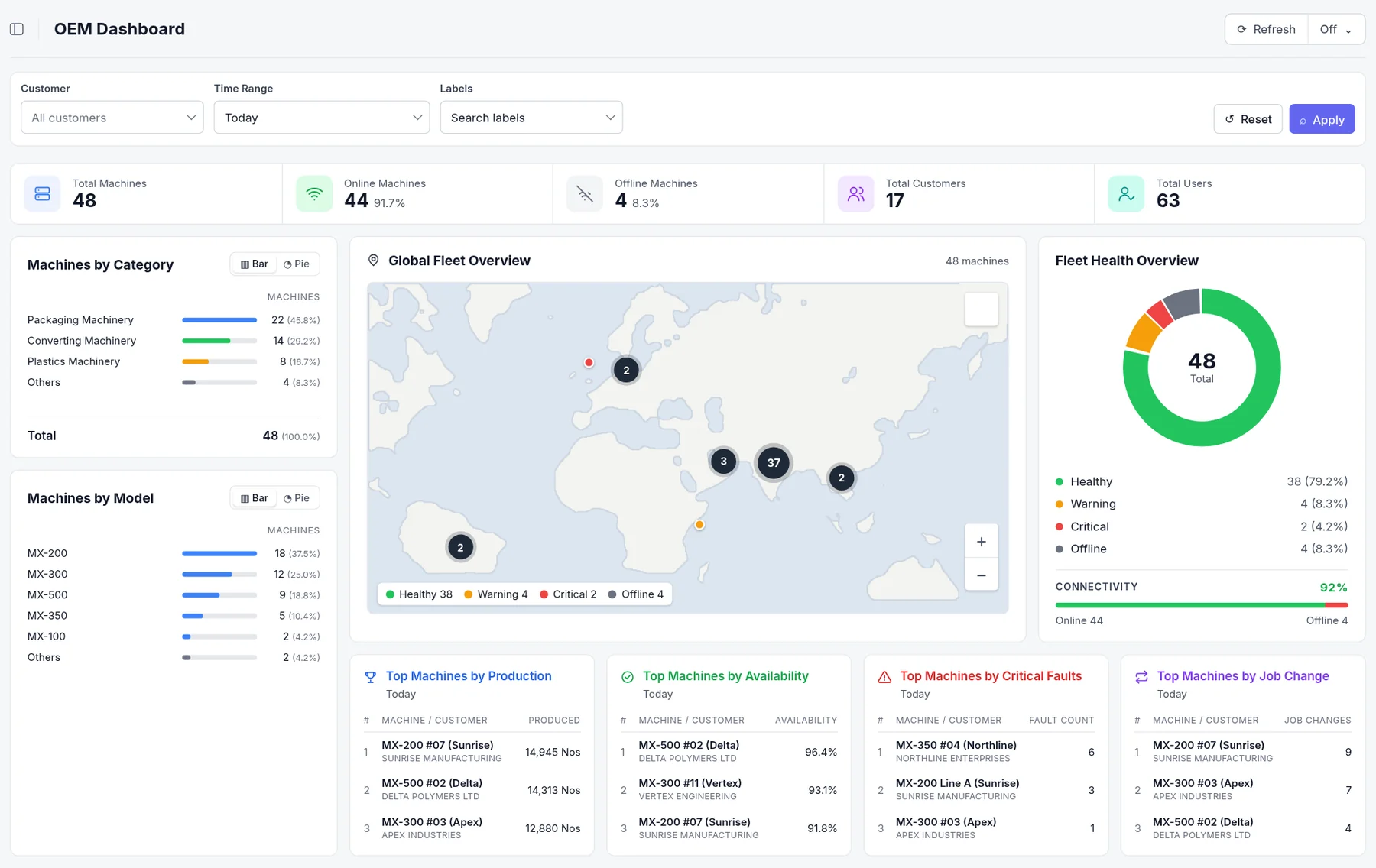
The real OEM Dashboard, with sample data. Click to see it full size.
What it tells you
Not charts to study. Straight answers, from the machines themselves. Sample data.
At Northline Enterprises: 6 critical faults today, the most of any machine you have sold.
A day, on average, across Vertex Engineering’s 9 machines. Their next service is due sooner.
Of shifts, for three machines at Northline. Short of orders or material, not a machine fault. A reason to call.
MX-350 (Unit 2) at Apex, against its twin, for the same output. Worth a check.
Four. The longest, at Northline, since 09:12. Their data waits on Flowtics Edge and arrives when the line is back.
Drive temperature high on the MX-500, at 6 customers. A job for your design team.
Every machine keeps a record
Speed, running and stopped time, faults and job changes, day by day, straight from the machine. Settle the argument with data, and see how the machine was really run before you accept a warranty claim.
Always connected
Every machine at every customer, online or offline, and since when. When a site loses its internet, the data waits on Flowtics Edge and arrives when the line is back.
Book a free visit
Half a day at your works and an honest written answer. No cost, no obligation.
Half a day. We look at two or three of your machines and their PLCs.
Which readings, alarms and counters it can pick up, and what they would show you.
With your own numbers. Then you decide: stop there, or start a pilot.